How to Use Oil Paint in Photoshop

if you want to Use Oil Paint in Photoshop just follow my lead and do it , yo can subscribe our youtube channel and watch other photoshop tutorials , you can find How to Design Logo In Photoshop Tutorial in This youtube Photoshop Tutorials channel and Pls Like The Video. How to Use Photoshop Oil Paint Filter Thanks

Photoshop Oil Paint Filter

Transform your photos into stunning oil paintings with Photoshop’s Oil Paint filter. Discover how the brush and lighting options affect different aspects of the oil painting effect, and how to adjust the effect in different areas by combining two Oil Paint filters on the same image! Even if you’re a beginner with Photoshop, this video will have you creating paintings from photos in minutes!

DOWNLOAD

if you want to learn about change hair color in photoshop , you can click hear an watch full video tutorials and if you want to download psd files , large format images , after effects projects and more … you can click hear and download free files . Convert Photo to vector

In this video, you’ll learn

0. How to Use Smart Sharpen

1. How to apply the Oil Paint filter to your image non-destructively

2. Where to find the Oil Paint filter in Photoshop

3. How the Brush options affect the style of the brush strokes

4. How the Lighting options affect the contrast of the brush strokes

5. How to Make Light Flares On Oil Painted Image

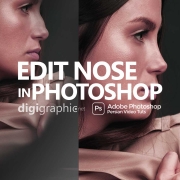
Edit Nose in Photoshop

to day we want to change hair color in adobe photoshop .you can change any hair color whit this trick . in this tutorial we use saturation option . you can download image links in description blow

The nose, prominently situated at the center of our face, often draws significant attention in our appearance. For those who are curious about how they might look with a different nose shape but are hesitant about plastic surgery, Photoshop offers a practical solution. This guide will delve into the specifics of using Photoshop’s liquify feature to edit the nose in a photograph. This process is not only useful for personal curiosity but also a valuable skill for digital artists and photographers.

Edit Nose in Photoshop

Why Choose Photoshop for Nose Editing?

Photoshop, a powerhouse in the realm of digital image editing, provides a range of tools that can simulate physical alterations without the need for actual changes to the body. This is especially useful for those who want to visualize a different appearance or for professionals who need to create varied looks for clients or projects.

DOWNLOAD

Preparing Your Image

  1. Choosing the Right Image: Selecting an image with a white background can simplify the editing process. However, this technique is also applicable to images with full backgrounds.
  2. Opening Your Image: Launch Photoshop and open the image you wish to edit.

Creating a Workable Copy

  1. Copying the Image: Press Ctrl + J to create a duplicate layer of the original image. This step is crucial for preserving the original photo.
  2. Converting to a Smart Object: Right-click on the new layer and select ‘Convert to Smart Object‘. This allows for non-destructive editing, meaning you can revert changes if necessary.

Using the Liquify Tool

  1. Navigate to ‘Filter’ and then select ‘Liquify’.
  2. A new window will pop up with your image and various tool options.
  3. The tools on the left side of the Liquify window are your main editing tools, each serving different purposes.
  4. Use a smaller brush for more precise edits on the nose. Adjust the brush size under the ‘Brush Tool’ options.
  5. Use the brush to gently drag and sculpt the nose. Small, subtle movements are key to natural-looking results.
  6. Toggle the preview option on and off to compare the edited version with the original.

Finalizing the Edit

  1. Applying the Changes: Once satisfied, click ‘OK’ to apply the changes to your smart object layer.
  2. Reverting If Necessary: If you need to revert to the original state, you can easily do so by canceling the liquify effect on the smart object.

Conclusion

Through this guide, you’ve learned how to effectively use Photoshop to edit the nose in a photograph. Remember, practice makes perfect. Your skill in using these tools will improve over time, allowing for more refined and natural-looking adjustments.

Edge Lighting in Photoshop

 To day we want to change hair color in adobe photoshop 2020 .you can change any hair color whit this trick . in this tutorial we use saturation option . you can download image links in description blow

change hair color in Photoshop by tinting and colorizing someone’s hair in a photo. The technique we’ll be learning here gives us complete control over what we’re doing, with several different ways of fine-tuning the results, plus we can also go back any time we want and change the hair color without having to redo all the work! You can use this technique on photos of other people (friends, family, clients)
Photoshop Tutorial | How to Change Hair Color In Photoshop

Edge Lighting in Photosho

we can use this trick for make vector files from anythings
we can print this vector files on t-shirts and any dress or we can make amazing basic face logo design for brand or company

Photoshop Tutorial | How to Change Hair Color In Photoshop

Changing someone’s hair color in Photoshop is much easier than doing it in real life and by the time this episode is over you will be on your way to color city! Join us as we show you how to change hair color in Photoshop

It is much easier to make hair dark than light. If you are starting out with a blonde and want to make her a brunette, not too hard. Turning black hair into blonde hair is nearly impossible. The reason is that you have more information to start with in lighter colors. With black you will see very little detail, making it difficult to make lighter colors realistic

Design Logo In Photoshop

How to Design Logo in photoshop ? hello . im sina abbasi from digigraphic.net to day we want to make a amazing Business logo you can use this logo in youtube or instagram profiles or shoping and branding . you must know a little about Adobe photoshop pc program . but you can just follow my lead and make easy logo in photoshop . you can make great logo design from your mind idea . you can make easy logo or simple design logo in adobe photoshop whit a few Knowledge from PS files and logo design in 5 Minutes . its no hard – its easy . you can do it . if you want to Design a Logo In Photoshop
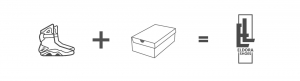
Design Logo In Photoshop

You have to be careful about one subject at first . Do you want to design a logo ? ok… Who are you designing for ? a big rich company ? or you want to make easy logo for your friend ? your friend use this logo design for a company or just use this logo design for youtube channel or instagram profile ? you must Know every thing About your logo design before start

The most important thing is , It was hard for me before I understood that . all jobs in the world is hard for you . if you just want to look from outside But after leaving the first step you have no fear like past  if you want to be a logo designer and make easy logo Design in photoshop you Dont need fear . say to your self . im a logo designer since my birthday and you can do it 100% . nothing change your mind never ever design logo in photoshop easy logo design in photoshop

if you want to make easy Design Logo In Photoshop just follow my lead and do it , yo can subscribe our youtube channel and watch other photoshop tutorials , you can find How to Design Logo In Photoshop Tutorial in This youtube channel and Pls Like The Video. Thanks

When you design logo , you should follow a precise logo design process to ensure that your final design be the right solution for the client problem. There is always precise steps that will guarantee you a great final logo design
Design brief : this step where you send to the client a detailed logo design questionnaire to collect all the information needed
Research and Mind mapping : in this phase you should make a deep search about the industry, and the competitors of your client, you will also learn about your client’s target audience
Sketching And Refining : this step is about putting ideas on paper no matter how you drawing look like, its about gathering as much logo design concept as possible, then choosing the right ones an clean it
Digitizing : this step is about digitizing your sketches and making them scalable vector logo designs
Delivery : this is the final phase where you make a good presentation with all you logo design concepts and present it to the client

we make graphic design Video Tutorials every week and publish for free in this channel . we sale business graphic packages in our site . come and visit digigraphic.net Video photoshop tutorials of digigraphic.net we make logo design , photoshop tutorials , graphic tutorials , digigraphic , after effects , premiere , corel draw and more softwares

Adobe Photoshop is a raster graphics editor developed and published by Adobe Inc. for Windows and macOS. It was originally created in 1987 by Thomas and John Knoll. Since then, the software has become the most used tool for professional digital art, especially in raster graphics editing

if you want to learn about change hair color in photoshop 2020 , you can click hear an watch full video tutorials and if you want to download psd files , large format images , after effects projects and more … you can click hear and download free files . Convert Photo to vector

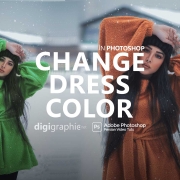
Change Dress Color in Photoshop

to day we want to change hair color in adobe photoshop 2020 .you can change any hair color whit this trick . in this tutorial we use saturation option . you can download image links in description blow

change hair color in Photoshop by tinting and colorizing someone’s hair in a photo. The technique we’ll be learning here gives us complete control over what we’re doing, with several different ways of fine-tuning the results, plus we can also go back any time we want and change the hair color without having to redo all the work! You can use this technique on photos of other people (friends, family, clients)

Change Dress Color in Photoshop

Changing someone’s hair color in Photoshop is much easier than doing it in real life and by the time this episode is over you will be on your way to color city! Join us as we show you how to change hair color in Photoshop

It is much easier to make hair dark color than light. If you are starting out with a blonde color and want to make her a brunette, not too hard. Turning black hair into blonde hair is nearly impossible. change color of hairs and re design all head ,The reason is that you have more information to start with in lighter colors. With black you will see very little detail, making it difficult to make lighter colors realistic ,change color of hair

Do you want to learn how to change hair coloring in Photoshop? In this tutorial I will show you how to change the color of an object in Photoshop using a very versatile technique. I’ll teach you how to select an object and how to adjust its colors without affecting the original

Music Cover Art Design in Photoshop

if you want to make easy Design Logo In Photoshop just follow my lead and do it , yo can subscribe our youtube channel and watch other photoshop tutorials , you can find How to Design Logo In Photoshop Tutorial in This youtube Photoshop Tutorials channel and Pls Like The Video. Thanks

Music Cover Art Design in Photoshop

LIGHTROOM CLASSIC GIVES YOU ALL THE DESKTOP EDITING TOOLS YOU NEED TO BRING OUT THE BEST IN YOUR PHOTOS. PUNCH UP COLORS, MAKE DULL-LOOKING SHOTS VIBRANT, REMOVE DISTRACTING OBJECTS, AND STRAIGHTEN SKEWED SHOTS. EASILY ORGANIZE ALL YOUR PHOTOS ON YOUR DESKTOP, AND SHARE THEM IN A VARIETY OF WAYS.

if you want to learn about change hair color in photoshop , you can click hear an watch full video tutorials and if you want to download psd files , large format images , after effects projects and more … you can click hear and download free files . Convert Photo to vector
DOWNLOAD

Paper Cut Shadow in Photoshop

Paper Cut Shadow in Photoshop Edit Photos in Lightroom classic (complete workflow tutorial) . In this video I show you how to edit photos from start to finish using adobe lightroom classic

Paper Cut Shadow in Photoshop

Paper Cut Shadow in Photoshop (complete workflow tutorial)

To add a shadow to the top part of your letter, double-click its layer in the Layer panel and choose Drop Shadow. Adjust the settings to achieve the desired effect. Uncheck the Use Global Light checkbox. Learn How to Create Paper Cut Effect with this Photoshop Tutorial

To add a shadow to the top part of your letter, double-click its layer in the Layer panel and choose Drop Shadow. Adjust the settings to achieve the desired effect. Uncheck the Use Global Light checkbox.

Paper Cut Shadow in Photoshop

how to create a beautiful Paper Cut effect using the Pen Tool and Layer Styles in Photoshop. The result is quite realistic and below you can see a step-by-step. Lidia was also kind to share the source file, just in case you want to check it out.

if you want to learn about change hair color in photoshop 2020 , you can click hear an watch full video tutorials and if you want to download psd files , large format images , after effects projects and more … you can click hear and download free files . Convert Photo to vector

we make graphic design Video Tutorials every week and publish for free in this channel . we sale business graphic packages in our site . come and visit digigraphic.net Video photoshop tutorials of digigraphic.net we make logo design , photoshop tutorials , graphic tutorials , digigraphic , after effects , premiere , corel draw and more softwares

Adobe Photoshop is a raster graphics editor developed and published by Adobe Inc. for Windows and macOS. It was originally created in 1987 by Thomas and John Knoll. Since then, the software has become the most used tool for professional digital art, especially in raster graphics editing

  1. Draw the main shape. …
  2. Add a shadow. …
  3. Play with an inner shadow. …
  4. Adjust the shadows. …
  5. Create a grainy paper texture. …
  6. To create the paper texture in your image, select the layer with the gray color, and select the styling option Soft Light.
Glow Effect And Long Face Stretch Effect on Portrait Image in Photoshop

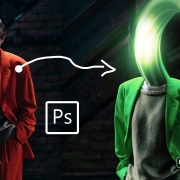
Make a Glow Effect and Long Face Stretch Effect in Photoshop ? hello . im sina abbasi from digigraphic.net to day we want to make a amazing Glow effect in photoshop easy  . you must know a little about Adobe photoshop pc program . but you can just follow my lead and make a Stretch Effect on Portrait image in photoshop . you can make great design from your idea . you can make easy Glow Effect poster or face Glow Effect in adobe photoshop whit a few Knowledge from PS 2021 files and cover design in 10 Minutes . its no hard – its easy . you can do it . if you want to Design In Photoshop

Long Face Stretch Effect in Photoshop

How to Create Glow Effect and Long Face Stretch Effect in Photoshop Tutorial

in this tutorial we want to use pen tool and shape path in adobe photoshop cc 2021 , so we make a path with pen tool for do Glow Effect on image then we chose smudge tool and make sure about brush size -set whit face middle of image done . then right click on path layer and chose stock path done

Glow Effect And Long Face Stretch Effect on Portrait Image in Photoshop

How To Create Glow Effect and Long Face Stretch Effect in Photoshop on Portrait image In Photoshop Tutorial

we make graphic design Video Tutorials every week and publish for free in this channel . we sale business graphic packages in our site . come and visit digigraphic.net Video photoshop tutorials of digigraphic.net we make logo design , photoshop tutorials , graphic tutorials , digigraphic , after effects , premiere , corel draw and more softwares

Adobe Photoshop is a raster graphics editor developed and published by Adobe Inc. for Windows and macOS. It was originally created in 1987 by Thomas and John Knoll. Since then, the software has become the most used tool for professional digital art, especially in raster graphics editing

The most important thing is , It was hard for me before I understood that . all jobs in the world is hard for you . if you just want to look from outside But after leaving the first step you have no fear like past  if you want to be a logo designer and make easy logo Design in photoshop you Dont need fear . say to your self . im a logo designer since my birthday and you can do it 100% . nothing change your mind never ever photo editing in photoshop easy logo design in photoshop

DOWNLOAD

Lights Flare in Photoshop

We have Lights Flare in Photoshop By Default . but in This Tutorial We Want Do it In Other Ways . So Newer Forget To Subscribe My Channel and put Comment on This Video Thanks For Subscribe we can make light Fler whit photoshop plugins too . we publish soon any videos for photoshop plugin tutorials specially light fler , lens fler . lens flare . light effects . lights flar . light flares and more … Create Light Flares in Photoshop | Lens Flares

Lights Flare in Photoshop

we can use this trick for make vector files from anythings we can print this vector files on t-shirts and any dress or we can make amazing basic face logo design for brand or company

Changing someone’s hair color in Photoshop is much easier than doing it in real life and by the time this episode is over you will be on your way to color city! Join us as we show you how to change hair color in Photoshop

It is much easier to make hair dark than light. If you are starting out with a blonde and want to make her a brunette, not too hard. Turning black hair into blonde hair is nearly impossible. The reason is that you have more information to start with in lighter colors. With black you will see very little detail, making it difficult to make lighter colors realistic Lights Flare in Photoshop

Photoshop Tutorial | How To Use Lights Flare in Photoshop

Changing someone’s hair color in Photoshop is much easier than real life  change color of hairs and by the time this episode is over you will be on your way to change color of hair. we show you how to change hair color in Photoshop by  HEU|Saturation  tool, its to easy Lights Flare in Photoshop

Lights Flare in Photoshop

It is much easier to make hair dark color than light. If you are starting out with a blonde color and want to make her a brunette, not too hard. Turning black hair into blonde hair is nearly impossible. change color of hairs and re design all head ,The reason is that you have more information to start with in lighter colors. With black you will see very little detail, making it difficult to make lighter colors realistic ,change color of hair

Do you want to learn how to change hair coloring in Photoshop? In this tutorial I will show you how to change the color of an object in Photoshop using a very versatile technique. I’ll teach you how to select an object and how to adjust its colors without affecting the original image

lens Flare In Photoshop

we make graphic design Video Tutorials every week and publish for free in this channel . we sale business graphic packages in our site . come and visit digigraphic.net Video photoshop tutorials of digigraphic.net we make logo design , photoshop tutorials , graphic tutorials , digigraphic , after effects , premiere , corel draw and more softwares

DOWNLOAD

How To Change Hair Color in Photoshop Tutorial

to day we want to Change Hair Color in Photoshop .you can change any hair color whit this trick . in this tutorial we use saturation option . you can download image links in description blow

change hair color in Photoshop by tinting and colorizing someone’s hair in a photo. The technique we’ll be learning here gives us complete control over what we’re doing, with several different ways of fine-tuning the results, plus we can also go back any time we want and change the hair color without having to redo all the work! You can use this technique on photos of other people (friends, family, clients)
Photoshop Tutorial | How to Change Hair Color In Photoshop
.

Changing someone’s hair color in Photoshop is much easier than doing it in real life and by the time this episode is over you will be on your way to color city! Join us as we show you how to change hair color in Photoshop

It is much easier to make hair dark than light. If you are starting out with a blonde and want to make her a brunette, not too hard. Turning black hair into blonde hair is nearly impossible. The reason is that you have more information to start with in lighter colors. With black you will see very little detail, making it difficult to make lighter colors realistic

How To Change Hair Color in Photoshop Tutorial

Changing someone’s hair color in Photoshop is much easier than real life  change color of hairs and by the time this episode is over you will be on your way to change color of hair. we show you how to change hair color in Photoshop by  HEU|Saturation  tool, its to easy

Change Hair Color in Photoshop

It is much easier to make hair dark color than light. If you are starting out with a blonde color and want to make her a brunette, not too hard. Turning black hair into blonde hair is nearly impossible. change color of hairs and re design all head ,The reason is that you have more information to start with in lighter colors. With black you will see very little detail, making it difficult to make lighter colors realistic ,change color of hair

Do you want to learn how to change hair coloring in Photoshop? In this tutorial I will show you how to change the color of an object in Photoshop using a very versatile technique. I’ll teach you how to select an object and how to adjust its colors without affecting the original image

DOWNLOAD