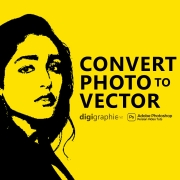
we can use this trick for make vector files from any things
we can print this vector files on t-shirts and any dress or we can make amazing basic face logo design for brand or company
Convert Photo to Vector

Vector files : Useful in many different environments
There are two kinds of image file types to vector
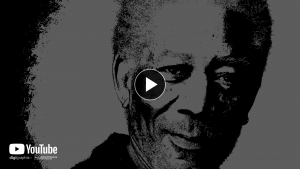
you can make amazing vector poster , icon to vector , vector profile picture
music video vector arts and motion graphics , for all professional projects
use for design web banners too
and more
Enjoy free size / you can save vector as eps file
Convert Photo to Vector
.eps: Encapsulated PostScript is an older type of vector graphics file. .eps files don’t support transparency in the way more modern file formats like .ai do.
DOWNLOAD
Convert Photo to Vector – Unlock the Power of Vector Art for Your Designs!
Learning how to convert photo to vector is a game-changer for graphic designers, illustrators, and anyone working with digital artwork. Converting a photo into a vector allows you to use the image for high-quality prints, logos, and graphics that need to be resized or edited without compromising sharpness.
Why Convert Photo to Vector ?
- Precision: Vector graphics offer clean, crisp lines and shapes that make your designs look professional and polished.
How to Convert Photo to Vector in Corel Draw
- Open Your Image – Start by opening the photo you want to convert in Adobe Illustrator.
- Select the Image – Click on the image with the selection tool to select it.
- Use Image Trace – Go to the “Window” menu, select “Image Trace,” and check the box to open the Image Trace panel. This tool automatically traces the edges of the image and converts it into a vector.
- Adjust Settings – Use the Image Trace panel to adjust settings like the number of colors, paths, and corners for finer control over the vectorization process.
- Refine and Edit – Fine-tune the paths and shapes to improve the quality of your vector art.
Other Methods to Convert Photo to Vector
If you don’t have access to Adobe Illustrator, there are alternative tools and software that can help convert photos into vector graphics:
- CorelDRAW: Similar to Illustrator, CorelDRAW allows users to trace raster images and turn them into scalable vector graphics.
- Online Converters: Websites like Vector Magic and Autotracer can quickly convert your photos to vector format with minimal effort.
- Inkscape: This free, open-source vector graphics editor offers a tracing tool called “Trace Bitmap” that can help convert your images to vector format.
Benefits of Converting Photos to Vectors
-
- Infinite Scalability: Resize your vector artwork without losing quality or pixelation.
- Editability: Make precise adjustments to shapes, colors, and paths in your vector file for better customization.
- Higher Quality for Printing: Vectors are perfect for high-resolution prints and large-format designs.
- Enhanced Visual Appeal: Vectorized images often have a clean, polished look, perfect for logos, illustrations, and marketing materials.
- Logo Design: Logos need to be flexible and scalable without losing quality, making vector images ideal.
- Business Cards: Vector graphics maintain high quality at small sizes, ensuring professional-looking prints. DigitalGraphic Magazine
Conclusion: Why Convert Photo to Vector?
If you want to work with designs that are scalable, editable, and always look professional, learning how to convert photo to vector is a crucial skill. With the right tools and techniques, you can transform any photo into a high-quality, scalable vector graphic that’s ready for any project, from branding to large-scale prints.
Start experimenting with vector conversion today, and unlock endless possibilities for your digital art and design work! Smart Card